How to Create a MOD Game in Roblox Studio (Step-by-Step Guide)
Would you like to be a creator? I will guide you on how to create your own MOD game using Roblox Studio. Many people think only coders or big gamers can be creators, but that’s not true in Roblox and Era of AI. Even if you can’t speak perfect English, you still can learn it. Roblox Studio is a free tool, and it gives you lots of things to build your own game. MOD game means you can take the idea of one game and make it more interesting by adding your own styles, weapons, levels, or powers.
So grab a little time and let’s create your first MOD game today. Once you learn it, you can even share it with friends and play together.

What is Roblox MOD Game?
Roblox MOD means a normal game with extra features, new items, upgraded mechanics, or gameplay changes that add a unique twist. Like other improved versions of tycoon games or simulators, you can change it to make it better, funnier, or different. Instead of building a full game from scratch, you can start with a free model or base game and then modify it to create a better overall experience.
What You Need Before Start?
Here are some essentials that you must have before starting game creation in Roblox:
- Roblox account
- Roblox Studio (free software from Roblox)
- PC or laptop (Roblox Studio does not work on mobile)
- Better Internet connection
- Some patience, because it takes time but it’s fun
How to create a Game using Roblox Studio?
So Here is by Step Guide:
1. Install Roblox Studio:
2. Choose Game Base (Template)
If you want to make a MOD game, best is to start with a baseplate or toolbox template.
You don’t need to make everything yourself. Just using other people’s open models it’s allowed.
3. Open Toolbox and Add Models
On left side or top menu, you see “Toolbox.”
Try adding a few things like:
4. Customize Your Game
Now it’s time to MOD. That means changing things and making them better or funnier. Here is what you can change in the game:
I. Text and Name
- Click on object → go to Properties
- Change name from “Cash Button” to “Golden Button” or your own word
- Change signboards, labels, menus, etc.
II. Color and Look
- Select any object → go to Properties → click on Color
- Choose your color (maybe red house, black sword, etc)
III. Adding Custom Characters
- Search “Custom NPC” or “Anime Character” in the toolbox
- Add them as a fighter, guard, player, etc
IV. MOD Weapons
- Search “Laser Gun”, “OP Sword”, “MOD Rifle”, etc.
- Put them on the map or give them to the player when they start
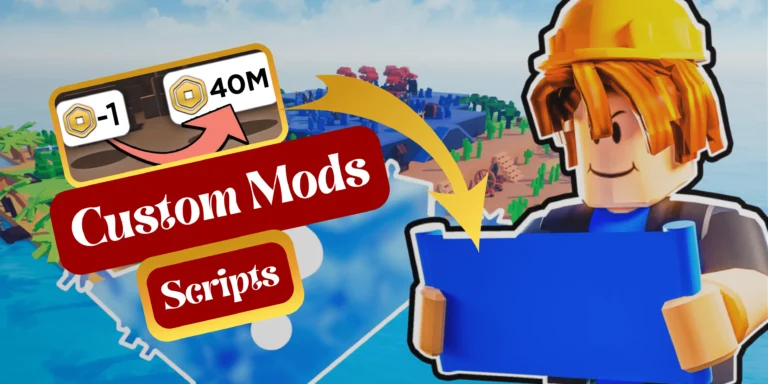
V. Change Cash Speed
Inside the script, look for lines like:
money = money + 10
wait(5)
- Change 10 to 100 or 1000
- Change wait(5) to wait(2) for faster cash
VI. Gamepass or Donation
- Use dev product or gamepass plugin
- Or just add a fake VIP door that looks cool
5. Test Your Game
Test again and again until things work fine.
6. Save and Publish Game
Now your game is live! You can share links with friends.
7. Update Game
When you are learning more, you can:
Every week do small updates so players stay interested.
Need inspiration for your MOD game? Check out these top Roblox Tycoon games in 2025.
Pro Tips to Create Better MOD Game
Here are some useful tips that will help you edit games like a Pro. So follow these points:
- Don’t copy the full game. Just take parts and remix
- Always test after a change
- Don’t put too many free models, it makes lag
- Give credit if using a big model from toolbox
- Make your game unique, maybe a a new name, theme, or twist
How to Learn More About MOD Games?
Learning is a never-ending process; the more you learn, the closer you get to becoming an expert in game creation. Watch YouTube videos, try a free Udemy or Skillshare course. You can ask on DevForum or Roblox Discord for any help regarding the problem you are facing. In the end, practice makes a man perfect. The more you practice, the more skilled you will become.
What Kind of MOD Games Can You Make?
You could create exciting games like a Clone Tycoon MOD with features of powerful tanks and planes, a Zombie Simulator game with intense battles against huge bosses, or a Supermarket Tycoon where you can encounter unexpected alien visitors. It’s not the limit: you can create an Airport game where flights don’t just travel across the world but provide the experience of venturing into space, or a Pet Fighting game filled with thrilling challenges. The best part is, you can create anything you want, your imagination is the only limit.
Conclusion:
You’ve reached the end of this guide, and I hope you now see that creating a MOD game in Roblox Studio isn’t complicated. If you follow these steps and give yourself time to practice, you’ll improve every day. Your first game may not be perfect, and that’s perfectly fine. Everyone starts somewhere. With time, you’ll add features, polish your game, and attract more players.
Remember, the key is to enjoy what you create. Don’t stress about mistakes; keep experimenting and refining your required details. If you feel doubtful, study other games, watch YouTube tutorials, or seek help from the Roblox Studio community. When your MOD game start working up to mark, share it with friends and have fun together.
This is just your first step. Maybe one day you will become a famous game creator. Keep building, keep learning, and enjoy every moment in the Roblox world!